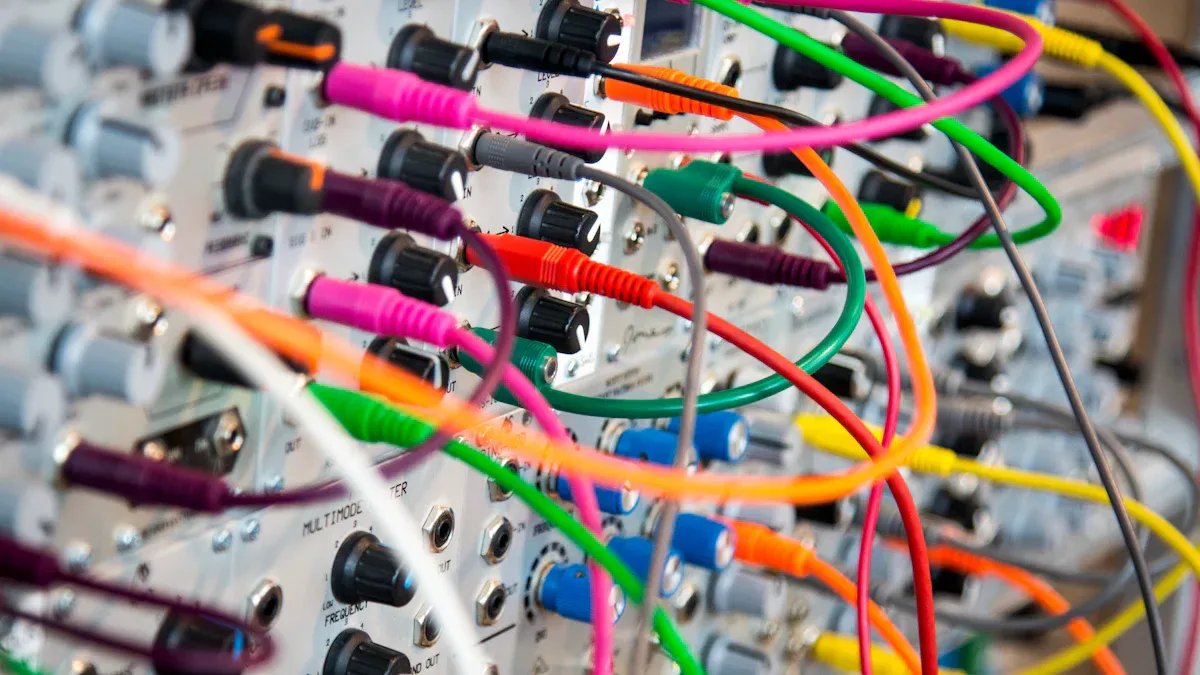
Często pracujesz z urządzeniami elektronicznymi, które wymagają różnych kabli do zasilania, ładowania i przesyłania danych. Przydatne kable włączać:
Znajomość najprzydatniejszych kabli pomoże Ci wybrać właściwy kabel do konkretnego urządzenia i zastosowania.
Pracując z produktami elektronicznymi, stykasz się z wieloma rodzajami kabli. Eksperci branżowi wskazują te, jako najbardziej przydatne:
Poniższa tabela przedstawia główne zastosowania każdego podstawowego typu kabla:
| Typ kabla | Główne zastosowania |
|---|---|
| Przewód zasilający | Komputery, monitory, drukarki, sprzęt AGD, elektronika przenośna |
| Kabel HDMI | Telewizory, projektory, konsole do gier, systemy kina domowego |
| Kabel USB | Smartfony, tablety, laptopy, dyski zewnętrzne, drukarki |
| Kabel audio | Słuchawki, głośniki, profesjonalne systemy dźwiękowe, zestawy kina domowego |
| Kabel telefoniczny | Telefony stacjonarne, internet DSL, systemy domofonowe |
| Kabel ładujący | Smartfony, tablety, laptopy, urządzenia noszone |
Wybierając odpowiedni kabel do swojego urządzenia, należy wziąć pod uwagę kilka czynników. Zacznij od sprawdzenia obsługiwanych protokołów i parametrów prędkości. Szukaj wyraźnych oznaczeń, takich jak „USB 3.2 Gen 2” lub „HDMI 2.0”, aby spełnić swoje wymagania dotyczące wydajności. Zwróć uwagę na długość kabla, ponieważ dłuższe kable mogą pogorszyć jakość sygnału. Wybierz kable o solidnej konstrukcji i odciążeniu naprężeń, aby zapobiec uszkodzeniom. Certyfikacja i kompatybilność mają znaczenie dla bezpieczeństwa i niezawodności.
Warunki środowiskowe, takie jak ciepło lub zakłócenia, również wpływają na Twój wybór. W zastosowaniach związanych z pomiarem lub sterowaniem w wysokich temperaturach, Kabel czujnika wysokiej temperatury może pomóc w utrzymaniu stabilnej wydajności. Do połączeń sieciowych zawsze używaj kabli spełniających najnowsze standardy, aby zapewnić stabilną wydajność. Koncentrując się na tych kryteriach, sprawisz, że wybór odpowiedniego kabla będzie prosty i skuteczny do każdego zastosowania.
Standardowe kable zasilające spotykamy na co dzień podczas korzystania z komputerów, monitorów i urządzeń biurowych. Kabel IEC C13/C14 jest jednym z najpopularniejszych rozwiązań dla tych urządzeń. Złącze C13 podłącza się do urządzenia, a C14 do źródła zasilania. Kabel ten obsługuje natężenie do 10 amperów i napięcie 240 V, co czyni go bezpiecznym dla szerokiej gamy urządzeń elektronicznych. Odłączane kable zasilające, zwane również kablami liniowymi, zapewniają elastyczność, ponieważ można je łatwo wymienić w przypadku uszkodzenia.
Przed wybraniem kabla do urządzenia zawsze sprawdź parametry napięcia i natężenia, typ złącza i certyfikaty.
Testowanie i walidacja są kluczowe dla zapewnienia zgodności zespołów kablowych z wymaganiami wydajnościowymi. Testy elektryczne, takie jak ciągłość i rezystancja izolacji, potwierdzają integralność działania, a testy mechaniczne weryfikują trwałość pod wpływem obciążeń fizycznych. Testy środowiskowe oceniają wydajność w trudnych warunkach, zapewniając niezawodność w różnych zastosowaniach.
Narodowe Stowarzyszenie Ochrony Przeciwpożarowej (NFPA) utrzymuje normy, które wpływają na dobór kabli, szczególnie w zakresie bezpieczeństwa pożarowego. Norma NFPA 70 określa podstawowe wymagania dotyczące odporności ogniowej, natomiast NFPA 262 określa wysokość rozprzestrzeniania się płomienia. Kable sygnalizacji pożarowej muszą być zgodne z normą NFPA 72, aby zapewnić funkcjonalność w przypadku pożaru. Specjalistyczne normy, takie jak NFPA 79 dla maszyn przemysłowych i NFPA 99 dla placówek służby zdrowia, określają szczegółowe wymagania dotyczące kabli, odpowiednie do ich zastosowań.
W wymagających warunkach potrzebujesz specjalistycznych kabli zasilających, które zapewniają zaawansowaną wydajność. Kabel ARX-9 FRW i elastyczny kabel gumowy NBR EPDM o wysokiej wytrzymałości wyróżniają się trwałością i odpornością na trudne warunki. Poniższa tabela przedstawia ich kluczowe cechy:
| Charakterystyczny | Kabel ARX-9 FRW | Elastyczny kabel gumowy NBR EPDM o wysokiej wytrzymałości na rozciąganie |
|---|---|---|
| Zakres temperatur | -40 do 200°C | Nadaje się do środowisk mokrych i suchych |
| Przeciążenie zwarciowe | Do +300°C | Nie określono |
| Aktualna nośność | Wysoki | Nie określono |
| Opór | Wysoka odporność na ciśnienie termiczne, chemikalia, hydrolizę i warunki atmosferyczne | Nie określono |
| Środek zmniejszający palność | Tak (UL VW-1, FT4, FT6) | Nie określono |
| Elastyczność | Elastyczna minimalna średnica zewnętrzna | Nie określono |
| Aplikacje | Uzwojenia silników, kable pomp, zastosowania morskie i przemysłowe | Ogólne zastosowanie w środowisku mokrym i suchym |
Możesz również wybrać elastyczny kabel fluoropolimerowy CITCABLE do projektów wymagających wyjątkowej odporności na warunki atmosferyczne, wysoką temperaturę i substancje chemiczne. Ten kabel niezawodnie sprawdza się w pojazdach samochodowych, morskich i maszynach przemysłowych, nawet w ekstremalnych warunkach. Wybierając kabel specjalistyczny, zawsze dopasuj jego parametry do swojego zastosowania, aby zapewnić maksymalne bezpieczeństwo i wydajność.
Kable Ethernet służą do budowy stabilnej i szybkiej sieci dla Twoich urządzeń. Łączą one komputery, routery, przełączniki i serwery, tworząc szkielet większości sieci przewodowych. Dostępne są różne kategorie, takie jak Cat5e, Cat6, Cat6a, Cat7 i Cat8, z których każda oferuje inną prędkość i poziom ekranowania. Kable Ethernet obsługują szybki transfer danych, redukują zakłócenia i zapewniają niezawodną komunikację dla domowego i biurowego internetu, konsol do gier i telewizorów Smart TV.
Wskazówka: Wybierz kategorię kabla odpowiadającą Twoim wymaganiom dotyczącym prędkości i kompatybilności urządzenia.
Poniżej znajduje się porównanie popularnych typów kabli Ethernet:
| Typ kabla | Maksymalna transmisja danych | Maksymalna przepustowość (MHz) | Maksymalna odległość |
|---|---|---|---|
| Cat5e | 1 Gb/s | 100 MHz | 100m |
| Cat6 | 10 Gbps (do 55 m) | 250 MHz | 100 m (1 Gb/s) |
| Cat6a | 10 Gb/s | 500 MHz | 100m |
| Cat7 | 10 Gb/s | 600 MHz | 100m |
| Cat7a | 40 Gbps (ograniczony zasięg) | 1000 MHz | 30m |
| Cat8 | 40 Gb/s | 2000 MHz | 30m |
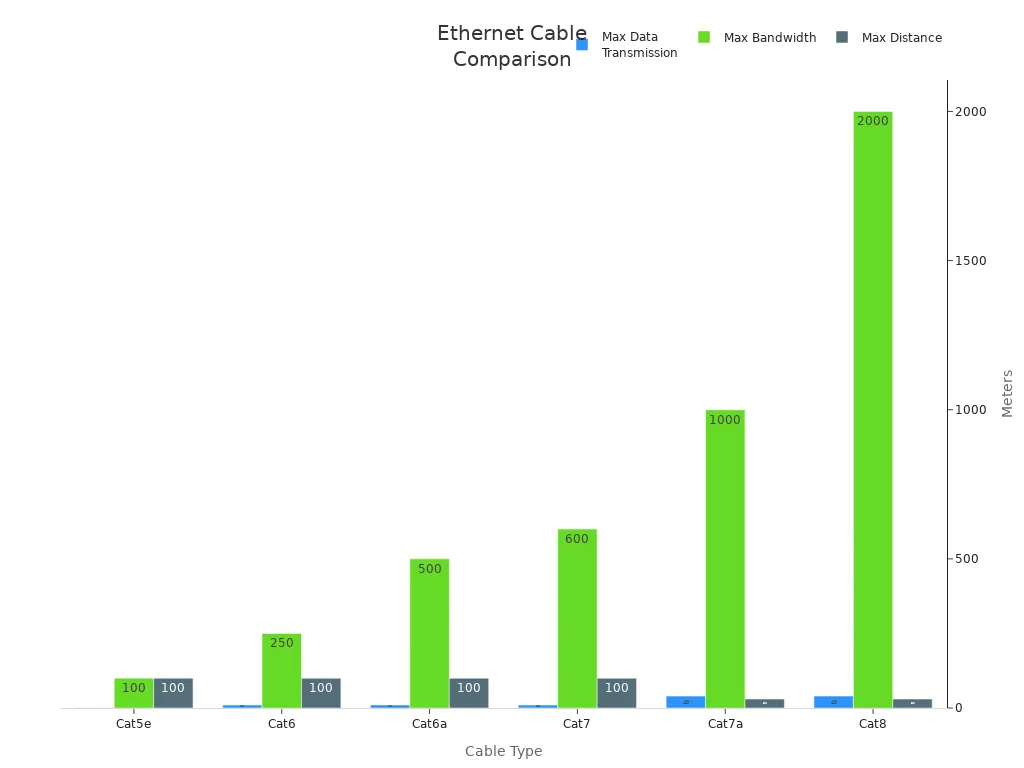
Kable sieciowe służą do zapewnienia łączności strukturalnej w infrastrukturze IT, centrach danych i wideokonferencjach. Kable światłowodowe odgrywają również rolę w szybkiej transmisji danych, szczególnie na duże odległości i w środowiskach z zakłóceniami elektromagnetycznymi.
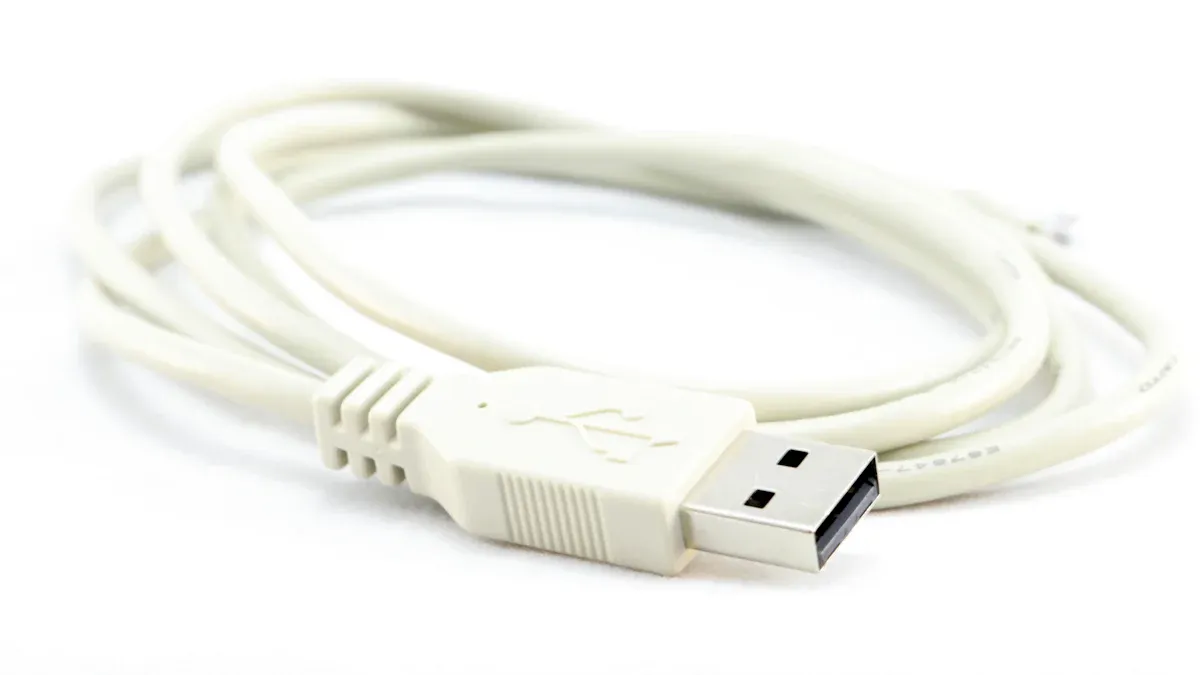
Do podłączania urządzeń peryferyjnych i ładowania urządzeń można spotkać kilka rodzajów kabli USB. Każdy typ ma określone przeznaczenie:
Poniższa tabela podsumowuje główne różnice pomiędzy wersjami USB:
| Wersja USB | Prędkość/szybkość transferu | Moc | Maksymalna długość kabla |
|---|---|---|---|
| USB 1.1 | 12 Mb/s | Nie dotyczy | 3 metry |
| USB 2.0 | 480 Mb/s | 5 V, 1,8 A | 5 metrów |
| USB 3.0 | 5 Gb/s | 5 V, 1,8 A | 3 metry |
| USB 3.1 | 10 Gb/s | 20 V, 5 A | 3 metry |
| USB 4.0 | 40 Gb/s | 100 W | Nie dotyczy |
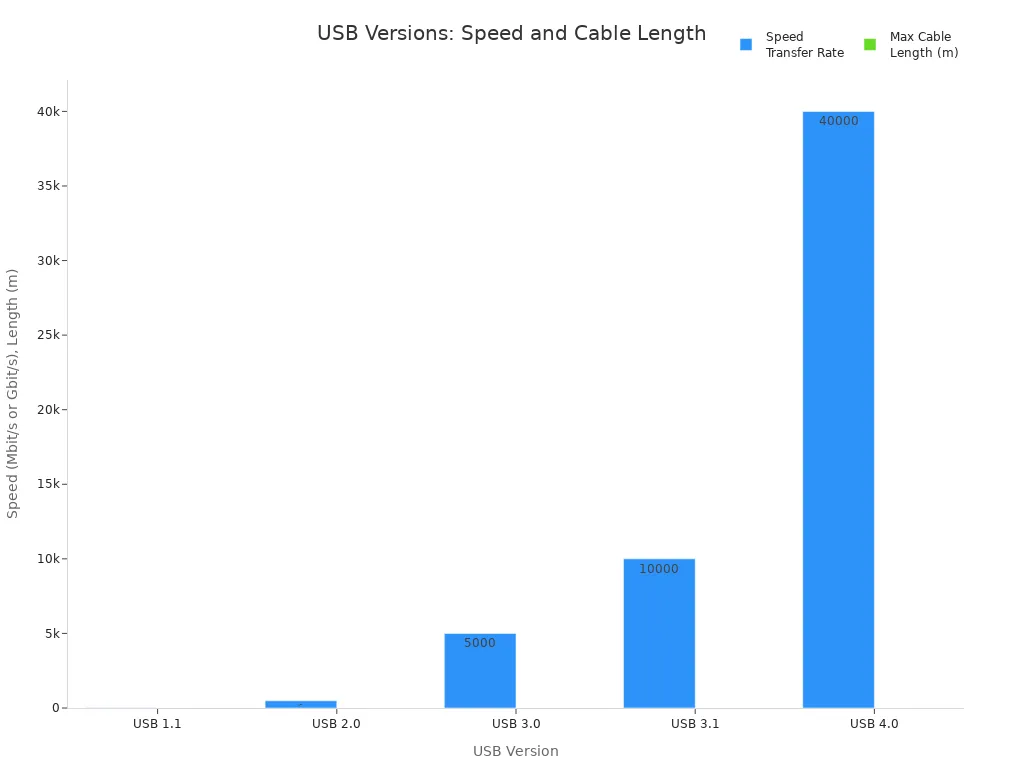
Możesz korzystać z wszechstronności złącza USB typu C, które obsługuje zarówno szybką transmisję danych, jak i zasilanie nowoczesnych urządzeń.
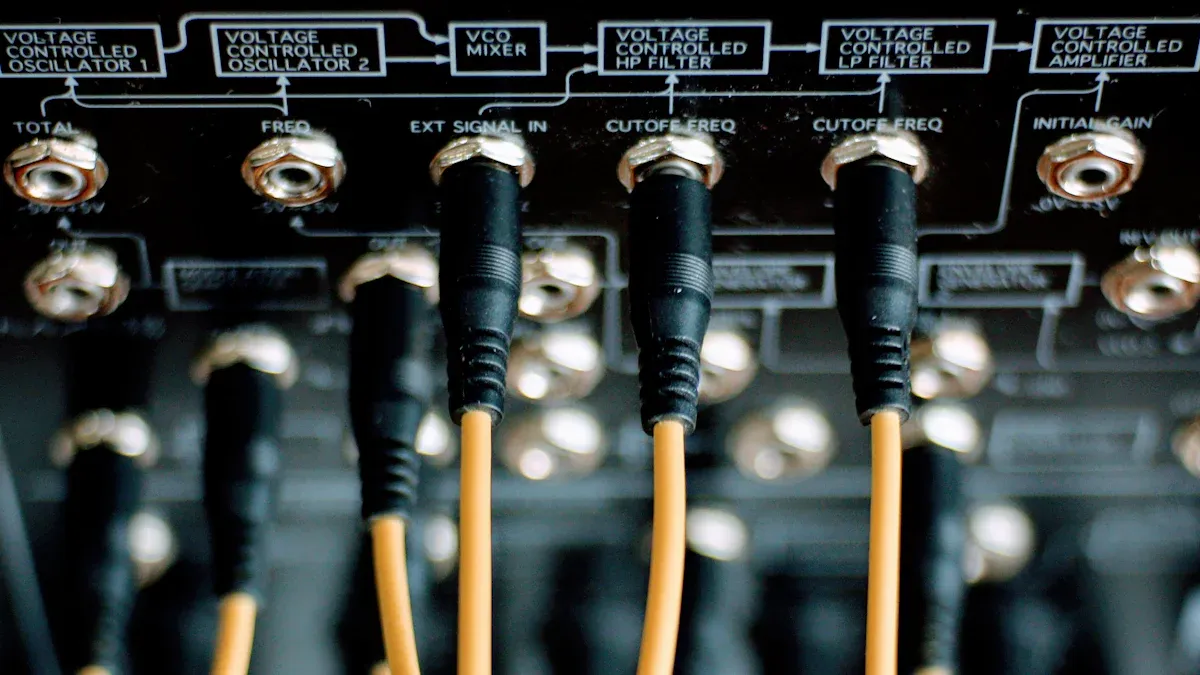
Często używasz kabli HDMI i DVI do podłączania urządzeń, aby uzyskać wysokiej jakości obraz i dźwięk. Kable HDMI współpracują z telewizorami, monitorami, projektorami, konsolami do gier i systemami kina domowego. Kable DisplayPort stanowią kolejną opcję, szczególnie w przypadku konfiguracji profesjonalnych i gamingowych. Zarówno HDMI, jak i DisplayPort obsługują wysokie rozdzielczości i częstotliwości odświeżania, ale ich funkcje różnią się.
Poniższa tabela porównuje główne specyfikacje kabli HDMI i DisplayPort:
| Specyfikacja | HDMI 2.0 | HDMI 2.1 | DisplayPort 1.4 | DisplayPort 2.0 |
|---|---|---|---|---|
| Przepustowość łącza | 18 Gb/s | 48 Gb/s | 32,4 Gb/s | 77,37 Gb/s |
| Rezolucja | 4K przy 60 Hz | 4K przy 120 Hz, 8K przy 60 Hz | 4K przy 120 Hz, 8K przy 60 Hz | 8K przy 120 Hz, 16K przy 60 Hz |
| Multi-Monitor | Ograniczony | Ograniczony | Obsługuje MST | Obsługuje MST |
| Wsparcie VRR | Tak | Tak | Tak | Tak |
| Obsługa G-SYNC | No | No | Tak | Tak |
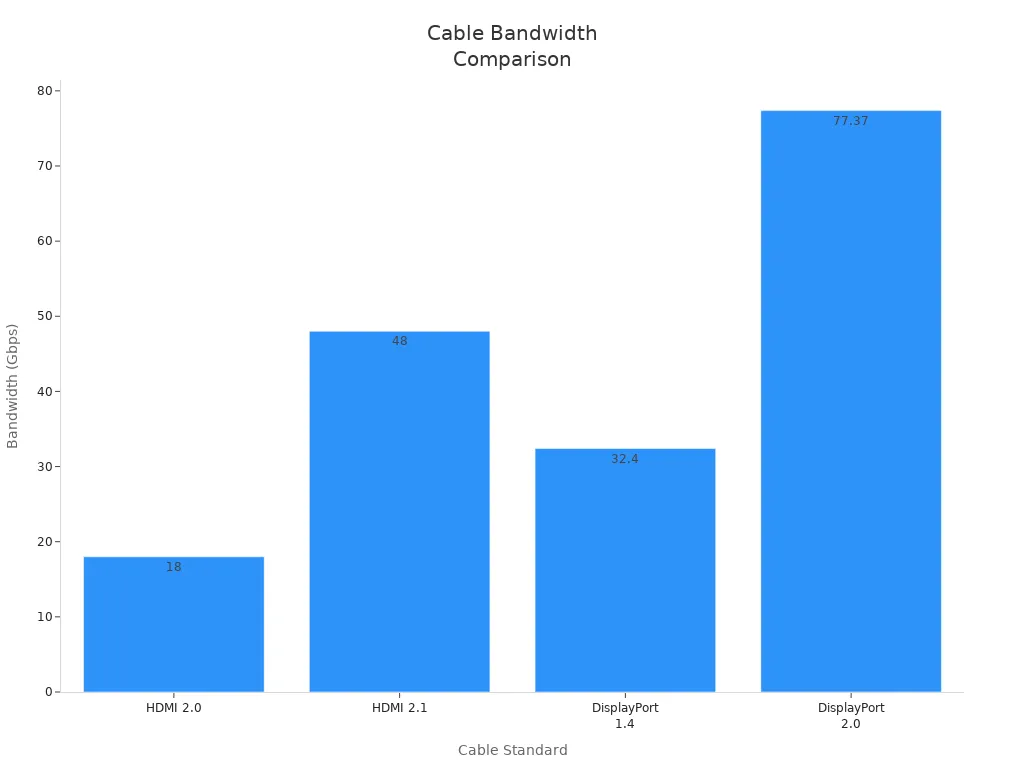
Kable HDMI są bardziej popularne w elektronice użytkowej, natomiast DisplayPort doskonale sprawdza się w konfiguracjach wielomonitorowych. Kable DVI i DVI nadal pojawiają się w starszych monitorach i projektorach, ale kable HDMI oferują szerszą kompatybilność i zaawansowane funkcje.
Do podłączania słuchawek, głośników i systemów dźwiękowych używasz kabli audio. Najpopularniejsze typy to kable 3,5 mm, RCA i XLR. Każdy typ kabla pełni inną funkcję w systemach audio.
| Typ kabla | Główne cechy | Aplikacje |
|---|---|---|
| 3,5 mm | Wszechstronny, szeroko stosowany, kompatybilny z różnymi urządzeniami | Złącze słuchawkowe, wejście pomocnicze, zestawy słuchawkowe do gier, systemy kina domowego |
| RCA | Dwa złącza (czerwone i białe) umożliwiają łączenie różnych urządzeń audio | Podłączanie przetworników cyfrowo-analogowych do wzmacniaczy, sprzętu DJ-skiego i starszego sprzętu audio |
| XLR | Mechanizm blokujący, izolacja gumowa, wyraźna transmisja sygnału | Mikrofony, systemy nagłośnieniowe, głośniki sceniczne, oświetlenie DMX |
Powinieneś wybrać odpowiedni kabel w oparciu o swoje urządzenie i wymagania dotyczące jakości dźwięku. Kable HDMI mogą również przesyłać dźwięk, co czyni je elastycznym wyborem dla kina domowego.
W wielu domowych i firmowych instalacjach elektronicznych korzystasz z kabli koncentrycznych. Kable te odgrywają kluczową rolę w dostarczaniu telewizji i internetu. Większość instalacji telewizyjnych i internetowych wykorzystuje kable koncentryczne o impedancji 75 omów. RG-6 i RG-59 to najpopularniejsze typy kabli do przesyłania sygnałów audio i wideo. RG-6 wyróżnia się w przypadku treści o wysokiej i ultrawysokiej rozdzielczości, ponieważ zapewnia niższe straty sygnału na dłuższych dystansach.
Wskazówka: Wybierz RG-6, jeśli chcesz mieć nowoczesne łącze telewizyjne i internetowe i cieszyć się najlepszą jakością sygnału.
Kable koncentryczne można znaleźć w następujących zastosowaniach:
Poniższa tabela przedstawia główne typy kabli koncentrycznych i ich zastosowania:
| Typ kabla | Impedancja | Aplikacja |
|---|---|---|
| RG-6 | 75 omów | Telewizja kablowa, satelitarna, modem internetowy |
| RG-11 | 75 omów | Systemy wideo dalekosiężne, CATV |
| RG-8 | 50 omów | Radioamatorstwo, Ethernet |
Kable koncentryczne wykorzystują wiele warstw ekranowania, aby blokować zakłócenia elektromagnetyczne. Taka konstrukcja zapewnia silny i niezawodny sygnał, nawet w środowiskach z zakłóceniami elektrycznymi. Wytrzymała konstrukcja jest odporna na uszkodzenia fizyczne i czynniki środowiskowe, dzięki czemu możesz liczyć na długotrwałą stabilność. Dodatkowo, za pomocą jednego kabla możesz obsługiwać telewizję, internet i telefon, co upraszcza konfigurację okablowania.
W nowoczesnych systemach elektronicznych światłowody zapewniają szybki i niezawodny przesył danych. Kable światłowodowe wykorzystują impulsy świetlne zamiast sygnałów elektrycznych, co pozwala na przesyłanie informacji z prędkością do 800 Gb/s. Technologia ta zapewnia większą przepustowość, umożliwiając przesyłanie dużych plików i strumieniowanie treści w wysokiej rozdzielczości bez opóźnień. Poniższa tabela porównuje kable światłowodowe i miedziane:
| Funkcja | Kable światłowodowe | Kable miedziane |
|---|---|---|
| Metoda transmisji danych | Impulsy światła | Sygnały elektryczne |
| Prędkość | Do 800 Gbps | Niższe prędkości |
| Przepustowość łącza | Większa przepustowość, więcej danych | Ograniczona przepustowość |
| Zakłócenia elektromagnetyczne | Odporny na zakłócenia | Podatny na zakłócenia |
| Dystans | Do 100 kilometrów bez utraty sygnału | Ograniczone do 100 metrów bez repeaterów |
| Korozja | Niemetalowy, nie ulega korozji | Podatny na korozję |
Korzystasz z odporności światłowodu na zakłócenia elektromagnetyczne, co zapewnia czysty sygnał nawet w zaszumionym otoczeniu. Pojedyncze połączenie światłowodowe pozwala na przesłanie filmu HD w mniej niż jedną dziesiątą sekundy. Kable miedziane wymagałyby znacznie więcej czasu i mogłyby stracić na jakości danych.
Światłowody są wykorzystywane w wielu gałęziach przemysłu i systemach komunikacyjnych. Kable światłowodowe umożliwiają szybki internet i komunikację w czasie rzeczywistym w telekomunikacji. Centra danych wykorzystują światłowody do łączenia serwerów i urządzeń pamięci masowej, zapewniając szybki i niezawodny dostęp. Dostawcy telewizji kablowej wykorzystują światłowody do przesyłania sygnałów wysokiej rozdzielczości bez zniekształceń. Operacje wojskowe wykorzystują światłowody do zapewnienia bezpiecznej i odpornej na zakłócenia komunikacji.
Systemy obrazowania medycznego i automatyka przemysłowa również wykorzystują światłowody do inspekcji trudno dostępnych miejsc i bezpiecznego przesyłania danych.
Kable światłowodowe oferują szereg zalet w porównaniu z kablami miedzianymi, m.in. większą przepustowość i szybkość, a także odporność na zakłócenia elektromagnetyczne.
Światłowody znajdują się w systemach transportowych, umożliwiając monitorowanie danych w czasie rzeczywistym w celu kontroli ruchu i zapewnienia bezpieczeństwa. Branża medyczna wykorzystuje światłowody do obrazowania w wysokiej rozdzielczości, takiego jak endoskopia i chirurgia laserowa. Automatyka przemysłowa korzysta ze zdolności światłowodów do przesyłania danych w środowiskach o wysokim poziomie zakłóceń, zapewniając bezpieczeństwo i niezawodność.
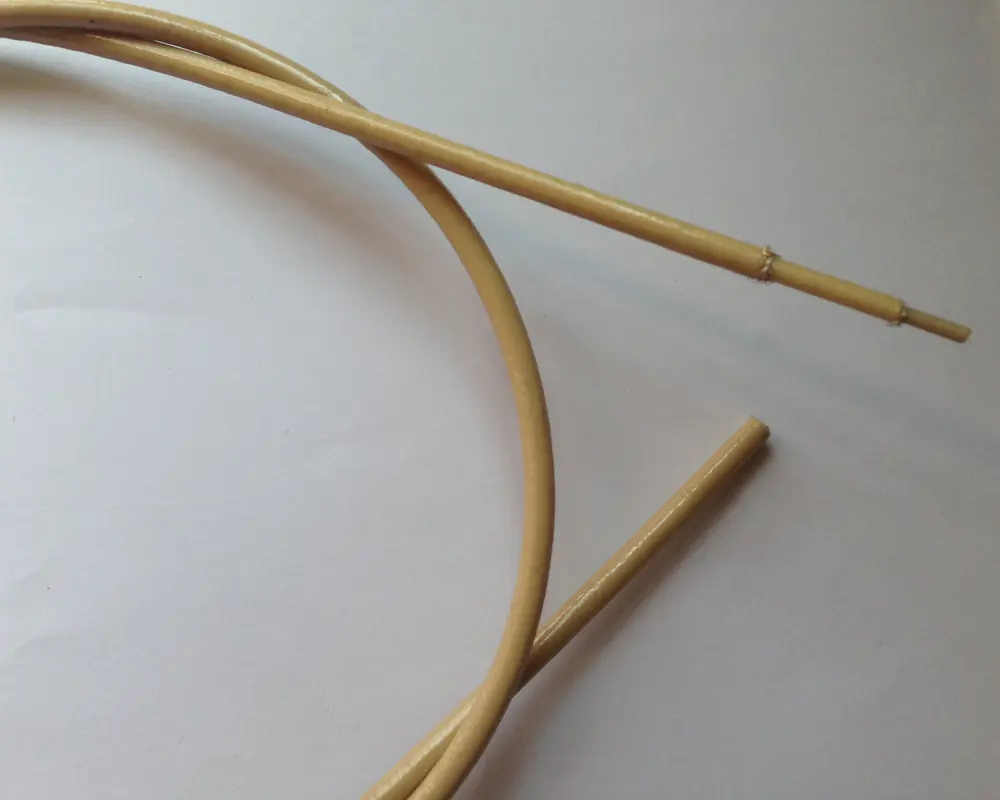
Często spotykasz się z trudnymi warunkami w środowisku przemysłowym, motoryzacyjnym lub morskim. W tych wymagających warunkach potrzebujesz rozwiązania, które wytrzyma ekstremalne temperatury, agresywne chemikalia i ciągłe obciążenia mechaniczne. CITCABLE Kabel z fluoroelastomeru zapewnia wyjątkową wydajność w takich sytuacjach. Jego powłoka z fluoropolimeru jest odporna na kwasy, rozpuszczalniki, promienie UV i ozon, dzięki czemu możesz być pewien jej długotrwałej trwałości.
Kabel ten zachowuje elastyczność i izolację elektryczną nawet po narażeniu na działanie wysokich temperatur lub plazmy, dzięki czemu idealnie nadaje się do uzwojeń silników, systemów pompowych i ciężkich maszyn.
Korzystasz z zaawansowanych opcji ekranowania, takich jak ekrany plecione i foliowe, które chronią przed zakłóceniami elektromagnetycznymi i zapewniają integralność sygnału. Wiele branż, w tym energetyka morska, transport i budownictwo na dużą skalę, polega na specjalistycznych kablach do dystrybucji energii, sygnalizacji i przesyłu danych. Możesz zamówić Specjalny kabel dostosowany do indywidualnych potrzeb aby spełnić Twoje specyficzne potrzeby, niezależnie od tego, czy wymagany jest konkretny promień gięcia, wytrzymałość na rozciąganie czy klasa izolacji.
Uwaga: Kable specjalistyczne często zawierają takie elementy jak syntetyczne pancerze, zabezpieczenia antykorozyjne i osłony ognioodporne, które gwarantują bezpieczeństwo i zgodność z normami branżowymi.
Wybierając elastyczny kabel fluoropolimerowy, zyskujesz niezawodne rozwiązanie spełniające najwyższe standardy wydajności i odporności na warunki środowiskowe. Takie podejście gwarantuje bezpieczną i wydajną pracę Twojego sprzętu, nawet w najtrudniejszych warunkach.
Wybór kabli musi być dopasowany do wymagań wydajnościowych urządzeń i środowiska sieciowego. Zawsze wybieraj kable, które spełniają lub przewyższają wymagania określone w dokumentacji SMART urządzenia. Używaj kabli przetestowanych pod kątem zgodności ze standardami połączeń, aby zapewnić niezawodne połączenie. Wybieraj produkty renomowanych producentów, aby zagwarantować stałą jakość.
Stosuj jak najkrótsze kable, aby zminimalizować degradację sygnału, szczególnie w konfiguracjach z szybkimi połączeniami sieciowymi. Szukaj kabli z pełnym ekranowaniem, aby zminimalizować zakłócenia elektromagnetyczne, co jest kluczowe dla stabilnej transmisji danych i sieci. Elastyczne i wytrzymałe kable sprawdzą się podczas częstego przemieszczania się i długotrwałego użytkowania w aplikacjach internetowych i transmisji danych.
Wybierając kable do systemów internetowych, transmisji danych i sieciowych, należy wziąć pod uwagę bezpieczeństwo. Odpowiednia izolacja i grubość przewodu zapobiegają awariom elektrycznym. Czynniki środowiskowe, takie jak temperatura, ekspozycja na substancje chemiczne i naprężenia mechaniczne, wpływają na wydajność kabla. Ekranowanie EMI zapewnia integralność sygnału w wrażliwych kablach transmisji danych i światłowodach. Dobierz złącza i techniki zakończeń w oparciu o trwałość i potrzeby danego zastosowania.
Zgodność z normami branżowymi gwarantuje bezpieczeństwo i niezawodną pracę. Testy i walidacja potwierdzają, że kable spełniają wymagania dotyczące wydajności i trwałości dla internetu i sieci.
Wskazówka: Zawsze sprawdzaj, czy Twoje kable posiadają niezbędne certyfikaty dla Twojego regionu i zastosowania.
Poprawisz wydajność, bezpieczeństwo i niezawodność swojego urządzenia, jeśli zrozumiesz rodzaje kabli i ich zastosowania.
| Czynnik | Opis |
|---|---|
| Dokumentacja | Zachowaj dokumentację na potrzeby przyszłego wyboru i weryfikacji kabli. |
Używaj tego przewodnika jako punktu odniesienia przy podejmowaniu każdej decyzji dotyczącej kabla.
USB-C jest używane w nowoczesnych urządzeniach, ponieważ obsługuje szybsze ładowanie i przesyłanie danych. USB-A jest nadal popularne w starszych komputerach i akcesoriach. Oba typy obsługują różne potrzeby połączeń.
Wybierasz kabel USB-C do USB-C do ładowania i synchronizacji między dwoma urządzeniami USB-C. Wybierasz kabel USB-C do USB-A, gdy podłączasz urządzenie USB-C do portu USB-A.
Złącze USB-C można stosować z większością nowych smartfonów, tabletów i laptopów. USB-C oferuje uniwersalną kompatybilność, ale niektóre starsze urządzenia nadal wymagają złącza USB-A lub innego.
```
3F, C Build, NO.10, MinChang Road, Nance, HuMen DongGuan City,GuangDong.China.


 Obsługiwana sieć IPv6